Clients book online
They pick a service and a free time on your link. It lands in your calendar.
 Yamate Studio
Bookings, checkout and getting paid for salons, barbers, beauty and massage
Clients book themselves on your link, a card sits on file for no-shows, checkout takes two taps and the next visit is booked before they leave. Hair, barbers, nails, lashes, beauty and massage.
30 days freeNo cardCancel anytime

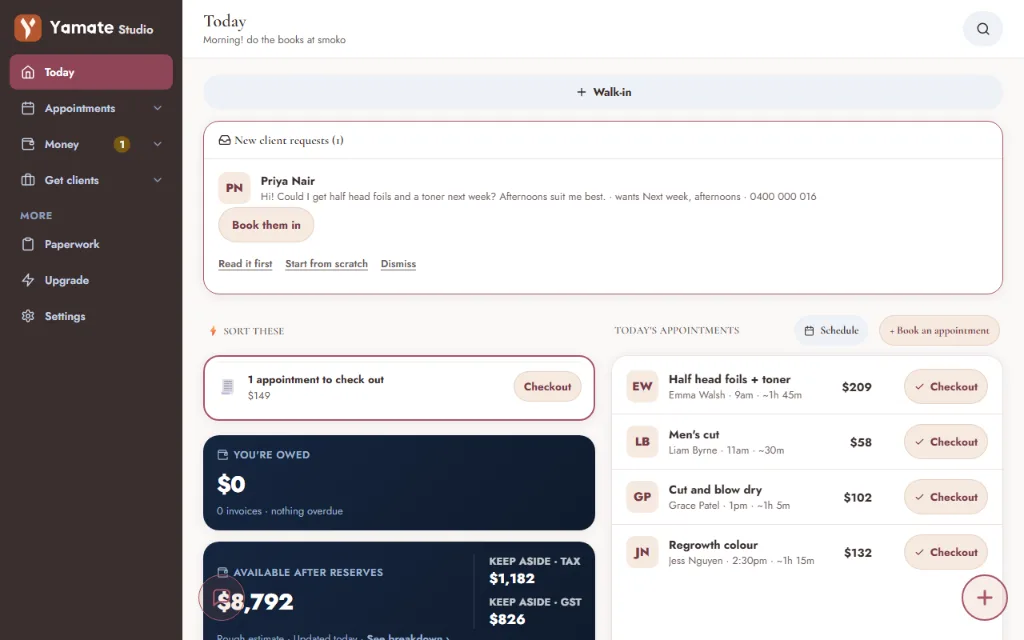
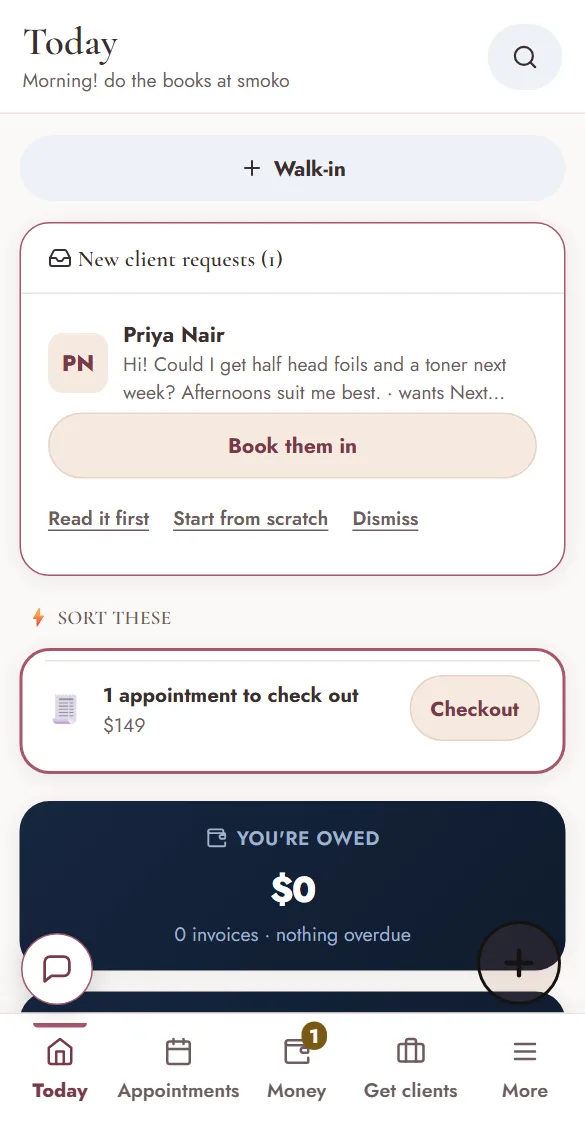
The real app, with a sample salon. Tap around.
Built for
Tap an underlined one to load its demo above
At the chair
How it works
Clients pick a service and a free time on your link. It goes straight into your calendar.
A friendly text from your business, a deposit taken and a card saved for no-shows.
Deposit already off. Add a tip, a product or a pack, split it, done.
Their notes, allergies and signed forms on the card, and the next visit in before they leave.
Sent from your phone
Your branding, job details, GST and payment details. Send it as a link or a PDF.


Scroll and watch the station draw itself, then everything that happens around it.
You didn’t train for years to chase no-shows. Clients book themselves, and the next visit’s booked at checkout.
What sets it apart
They pick a service and a free time on your link. It lands in your calendar.
A card saved at booking, on your own Stripe. A fee is one tap.
Allergies and consent answered and signed on your link or your tablet.
Tips, products, packs and split payments, deposit already off.
A missed call gets a text back with your booking link.
GST, BAS figures and tax to put aside. An estimate, you lodge it.
Best software I’ve used for my painting business I’ve used Xero and Tradify, and nothing comes close to this. It makes quoting, invoicing and follow up emails so much easier and keeps everything together in one place. Saves me heaps of time on admin so I can focus on getting jobs done. Highly recommend it to anyone running a trade business!
Pricing
Founder price if you join by 30 November 2026, kept while you stay subscribed. After that it is $29 a month.
The family
Quotes, jobs, invoices, books and the crew. For anyone on the tools.
Show me Yamate You are hereYamate StudioFor salonsBookings, deposits, forms and checkout. For anyone with a chair.
Show me Yamate Studio You are hereYamate GoFor cafesThe till, the menu, tabs and the day’s GST. For anyone behind a counter.
Show me Yamate Go
Why I built Yamate
I’ve spent years helping businesses set up and run their admin and bookkeeping. That’s why I built Yamate: to make that side of running a business simpler, more intuitive, and keep it all in one place.
Tess
Yes. Yamate Studio runs in your browser, on a computer or a phone. On iPhone and Android you can add it to the home screen so it opens like an app.
Yes. Yamate Studio exports invoices as PDFs: save, email or print them from your phone or computer.
By default your books stay on your device. If you have turned on secure backup, sign in on another device and your synced data is back. Something that only ever lived on a lost phone and was never backed up can’t be recovered.
Yes. Client details sit with their bookings, forms, notes and history, so a regular doesn’t start from scratch.
Yes. Export your clients, invoices and more from Xero or MYOB and bring them in from Settings. Connect Xero as well and invoices, payments and clients push across. There’s no MYOB connection.
It does the day-to-day: invoices, payments, expenses and GST recorded as you work. Your accountant or bookkeeper still lodges your BAS and tax. Yamate Studio prepares, it doesn't lodge.
The core of it lives on your device, so it keeps working with no signal. Texts, AI, live lookups and cloud sync need a connection and catch up when you are back in range.
Thirty days free. No card. Your link is live today.
Start 30 days free→